User Panels

User Panels in OpenSpace are custom panels that are developed by users outside of the OpenSpace development team. They allow custom functionality within OpenSpace. By default, OpenSpace does not ship with any such panels, but panels may be available on the OpenSpace Hub.
The User Panels button provides shortcuts to user-created web panels, which are HTML pages using the OpenSpace Javascript API. The “Add Local Panel” tab needs HTML pages to be saved as index.html inside individual folders created inside the user/webpanels folder. The “Add From URL” tab allows you to create shortcuts to HTML pages served from elsewhere. The HTML Controls Setup Guide explains the process of creating such HTML control pages.
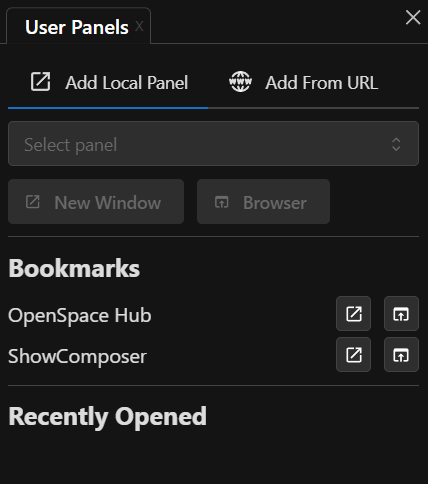
The User Panels Panel in OpenSpace.
Note
We will cover some basics of building a user panel in a future article.
Location
Whether you develop one yourself or download one from the Hub, they appear in the OpenSpace/user/webpanels folder.
Open a User Panel
If you have a user panel in that folder, you can access it within OpenSpace’s User Panels Panel via the dropdown under Open Local Panel. With a panel selected, open it either in a separate window in the OpenSpace application or in the browser using the buttons below the dropdown.
Open From a URL
You can also open a panel from a web URL. A user panel is merely an HTML page, so it is possible to host these on the web and access them via a URL. Add the URL and a title, then hit one of the buttons beneath the inputs to open the website either in a separate window or in the browser.
Links
We include two links in this panel: one for the OpenSpace Hub and one for the Show Composer. These will open in a new panel and will benefit from expanding the width of the panel.
Show Composer
We will cover the Show Composer in a future article.